
Football Auction Software: How to Run a Player Auction Without the Chaos
Running a player auction by hand leads to budget disputes, slow bidding, and confused team owners. Here's how purpose-built football auction software changes the game, and what to look for before your next draft.
If you have ever organized a football player auction with a whiteboard, a spreadsheet, and a room full of impatient team owners, you already know how quickly things unravel. Someone forgets to deduct a winning bid from a budget. Two captains claim they bid first. The marquee striker goes for a price nobody wrote down. By the third round, half the room is arguing and the other half has lost track of who owns whom.
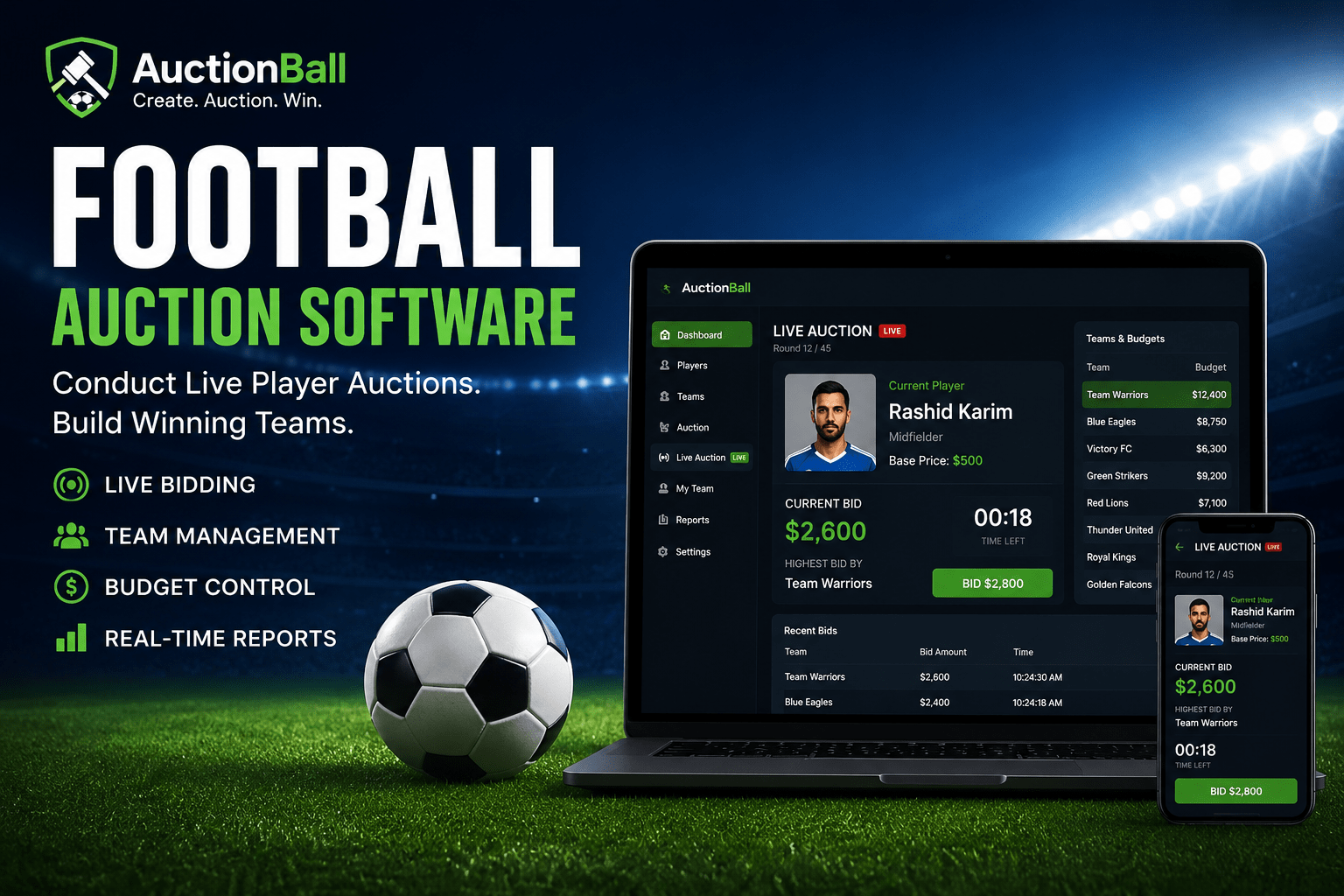
Football auction software exists to solve exactly this problem. Instead of managing money, players, and bids on paper, you run the entire event from one screen where every action is recorded and every budget updates in real time. This article walks through how these tools work, where they make the biggest difference, and how to set up an auction with AuctionBall so your event feels smooth rather than stressful.
What a football auction actually involves
Before talking about software, it helps to be clear about what a player auction is. In a typical local or corporate league, teams do not get pre-assigned squads. Instead, each team has an owner or captain with a fixed budget, often called purse or wallet. Players are put up one at a time, and owners bid against each other. The highest bidder wins the player, and that amount is deducted from their budget.
The format sounds simple, but the details get complicated fast. You need to track:
- Each team's remaining budget after every purchase
- How many slots a team still needs to fill
- A minimum spend so nobody hoards cash and fields an incomplete squad
- Player base prices and bid increments
- A clear record of who won which player and at what price
Doing this manually for 8 teams and 120 players is a recipe for errors. This is where dedicated tooling pays for itself.
Why spreadsheets fall short
A spreadsheet feels like the obvious upgrade from paper, and for a small friendly tournament it might be enough. But spreadsheets struggle the moment your auction gets competitive and fast-paced.
The core issue is that a spreadsheet is passive. It does not stop an owner from overbidding past their budget. It does not warn you that a team has only two slots left and needs to save money for them. It does not project the auction onto a screen everyone can read. And when bidding speeds up during a player war, the person typing into cells becomes the bottleneck for the whole room.
The goal of good auction software is not just to record numbers faster. It is to enforce the rules automatically so the human running the event can focus on energy and pace.
What football auction software does differently
Purpose-built software like AuctionBall treats the auction as a live, rule-governed event rather than a static ledger. A few features make the practical difference between a tense, error-prone evening and a clean one.
Live budget tracking
The most valuable thing the software does is keep every team's purse accurate at all times. When a bid is placed, the system already knows whether that team can afford it. The moment a player is sold, the winning amount is deducted and the remaining budget is shown to everyone. There is no end-of-round reconciliation, no arguing over arithmetic.
Bid validation and increments
AuctionBall lets you define base prices and bid increments per player or per category. So if a marquee player starts at 100 and increments are set to 10, the next valid bid is automatically 110. Owners cannot enter odd, invalid, or below-minimum amounts. This single rule eliminates a surprising amount of confusion during fast bidding.
Squad limits and minimum balance rules
One of the most common disputes in manual auctions is a team running out of money before they have a full squad. AuctionBall lets you set squad size limits and a reserved minimum per remaining slot. If a team has three empty slots and the rules require at least 10 per slot held back, the software prevents bids that would leave them unable to complete their squad. Fairness is built into the mechanics instead of relying on someone remembering the rule.
A presentation view for the room
An auction is partly a show. AuctionBall includes a display mode you can put on a projector or big screen so every owner sees the current player, the active bid, the leading team, and updated budgets. When the room can see the same source of truth, you get fewer disputes and more excitement. The auctioneer reads the room while the screen handles the bookkeeping.
Setting up your auction in AuctionBall
A smooth event is mostly about good preparation. Here is a practical sequence that works well.
1. Build your player pool first
Before the day, enter every player with their name, position, and a base price. Group them into categories such as goalkeepers, defenders, midfielders, and forwards, or into tiers like marquee, experienced, and rookie. Categories help you control the order in which players come up and keep budgets balanced across positions.
2. Configure teams and budgets
Add each team with its owner and starting purse. Keep budgets equal unless your league uses a handicap system. Set the squad size and any minimum-per-slot rule now, so the software enforces them automatically once bidding starts.
3. Decide your auction order
Many organizers alternate marquee and regular players to keep energy high. If you put all the stars first, owners spend recklessly early and the back half of the auction goes flat. AuctionBall lets you arrange the order, so plan a rhythm that keeps every round meaningful.
4. Do a five-minute dry run
Before the real event, sell two or three dummy players to make sure the screen, the bidding flow, and the budget deductions all behave as expected. A short rehearsal catches setup mistakes that would otherwise surface in front of a live audience.
Running the auction smoothly on the day
Even with great software, the human at the controls sets the tone. A few practical habits make a big difference.
- Announce rules out loud before the first player. State the budget, squad size, minimum balance, and increment so nobody can claim they did not know.
- Keep a steady countdown. A clear "going once, going twice" rhythm prevents owners from sneaking late bids and keeps the pace lively.
- Use the screen as the referee. When there is any dispute, point to the display. The recorded bid is the answer, full stop.
- Watch the slow teams. If an owner is hoarding cash, remind the room that minimum-per-slot rules will eventually force their hand. This adds strategic tension.
A quick example of how the rules play out
Imagine eight teams, each with a budget of 1000 and a squad size of 11, with a minimum of 20 reserved per empty slot. Midway through, one owner has spent 700 and has filled six slots. They have five slots left, which means they must keep at least 100 in reserve. So their real spending power on the next player is 200, not 300.
In a manual auction, that owner might bid 280 on a star midfielder, win, and only realize later that they cannot complete their squad. AuctionBall simply blocks the bid above 200 and shows why. The auction stays fair, and the owner is forced to make smarter choices earlier. This is the kind of quiet rule enforcement that prevents arguments before they start.
After the auction: records that actually help
When the last player is sold, you want clean output, not a photo of a scribbled whiteboard. AuctionBall gives you a final squad list per team, the price paid for each player, and the remaining budget. Share these with owners immediately so there is no doubt about who owns whom. These records also become the foundation for fixtures, fantasy scoring, or future seasons.
Choosing the right tool for your league
Not every auction needs the same features. A casual office tournament can run on the basics, while a large multi-team league benefits from stricter rule enforcement and a polished presentation mode. When evaluating any football auction software, ask yourself a few questions:
- Does it enforce budgets and squad limits automatically, or just record them?
- Can you set per-player base prices and increments?
- Is there a clear display the whole room can follow?
- How easy is it to set up players and teams before the event?
- Does it produce shareable final records?
If a tool ticks those boxes, your auction stops being an administrative headache and becomes the genuinely fun, competitive centerpiece it is meant to be. That is the whole reason AuctionBall was built: to let organizers focus on the spectacle and strategy while the software handles the math, the rules, and the record-keeping.
Run your next player auction once with the right tool, and you will never want to go back to the whiteboard.